Problem
WebEngage is a customer data platform and marketing automation suite that helps businesses understand users, personalize communications, and manage campaigns across multiple channels.
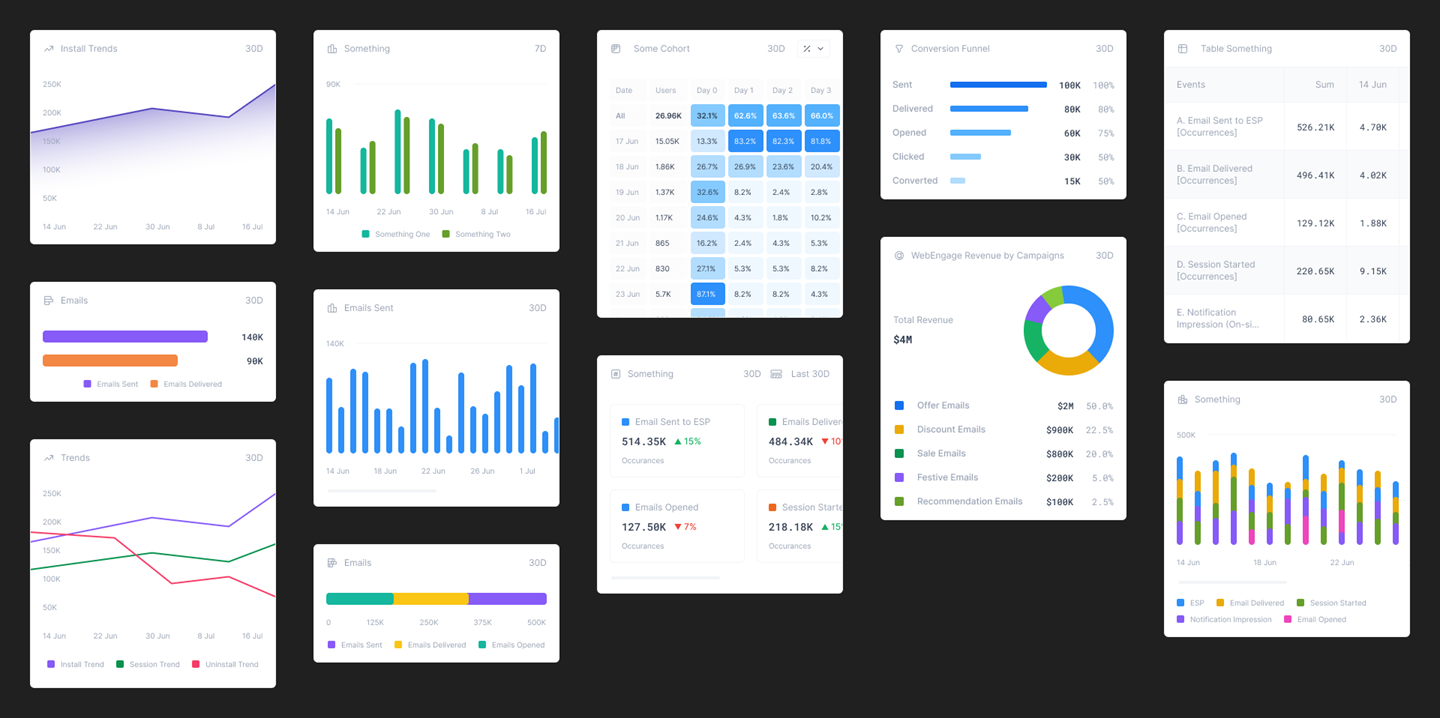
The platform provides extensive analytics, segmentation, campaign creation, journeys, personalization, and team management features — all complicated workflows designed primarily for a desktop environment.
We wanted to bring this ecosystem to mobile, but simply translating the existing web experience to mobile size wasn't the answer.
Challenge
The web suite is extensive and workflow-heavy. Many tasks involve multiple inputs, screens, filters, and large amounts of visual data. Trying to replicate these workflows on a phone would create intense cognitive load and compromise the experience. Also, use cases like deep analytics and campaign creation benefit significantly from a larger screen.
So the fundamental question became: What does a WebEngage user actually need when they're away from their desk? Rather than bringing the entire suite to mobile, we needed to identify the information and actions that provide the most value on the go.
Solution
We identified the mobile experience as primarily a monitoring and decision-support tool, rather than a smaller version of the web platform. The mobile app was designed around users who need to quickly understand what is happening, assess performance, and take limited high-value actions without navigating the full complexity of the web suite.
This led to a deliberately constrained product - A read-first mobile experience. The app focuses on surfacing important information and reducing the effort required to access it.
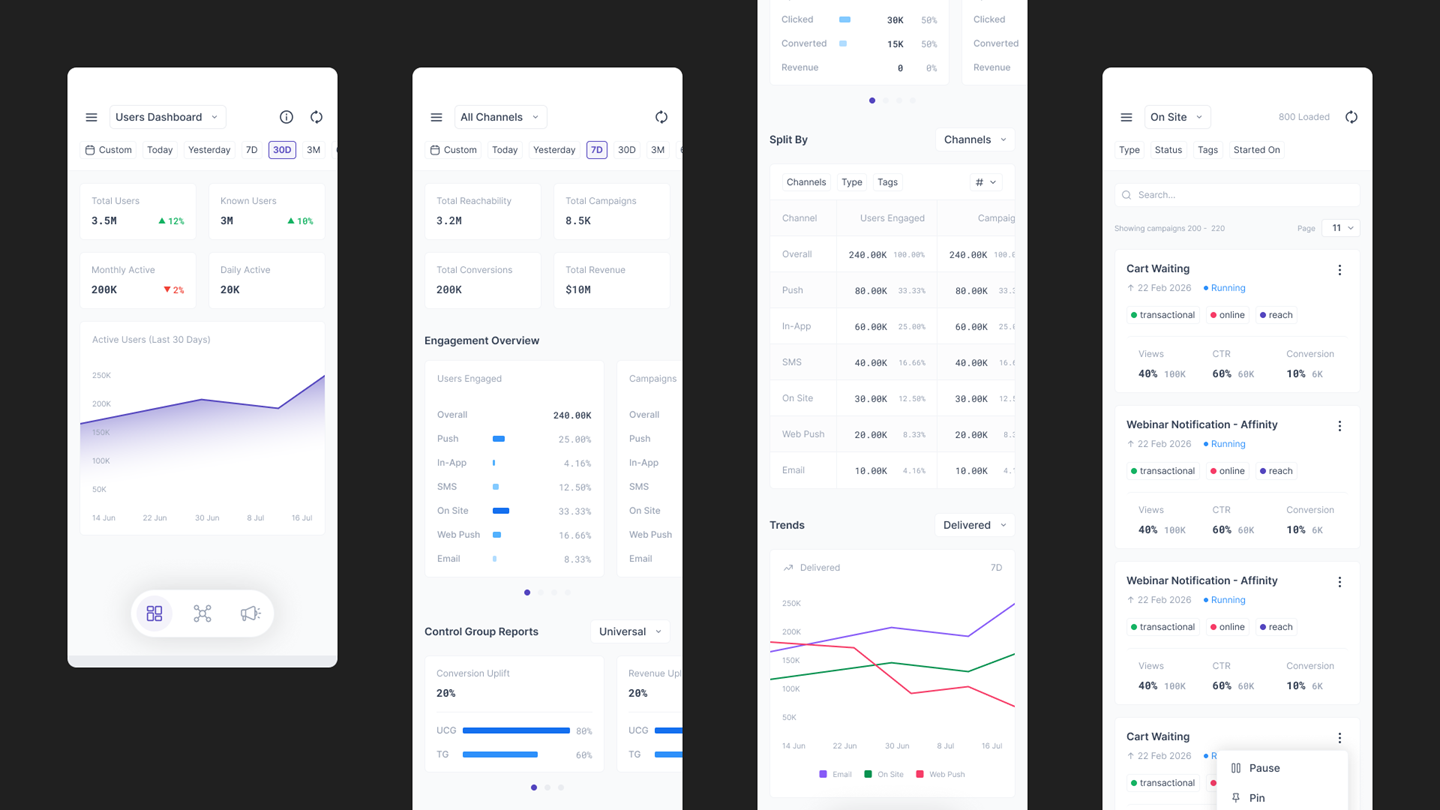
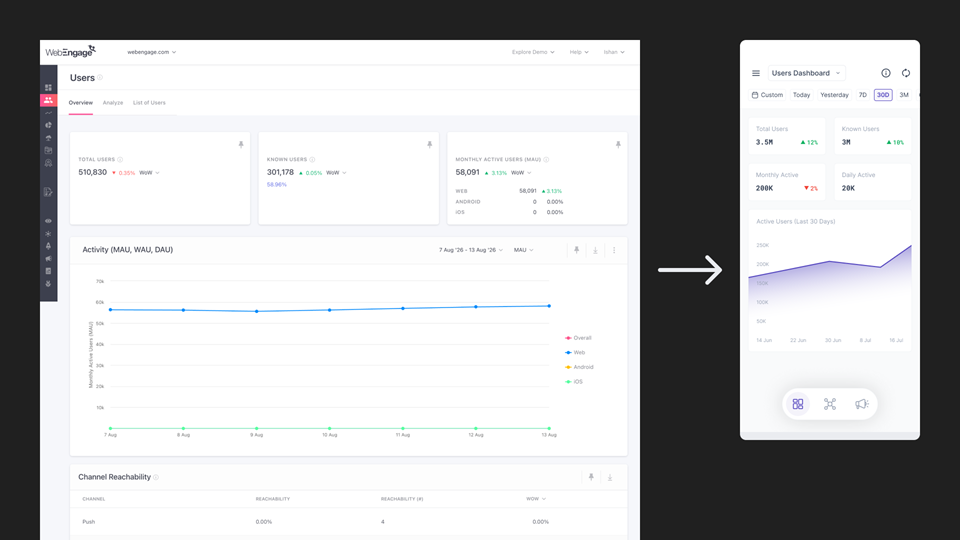
- Dashboards — View key business and performance metrics at a glance.
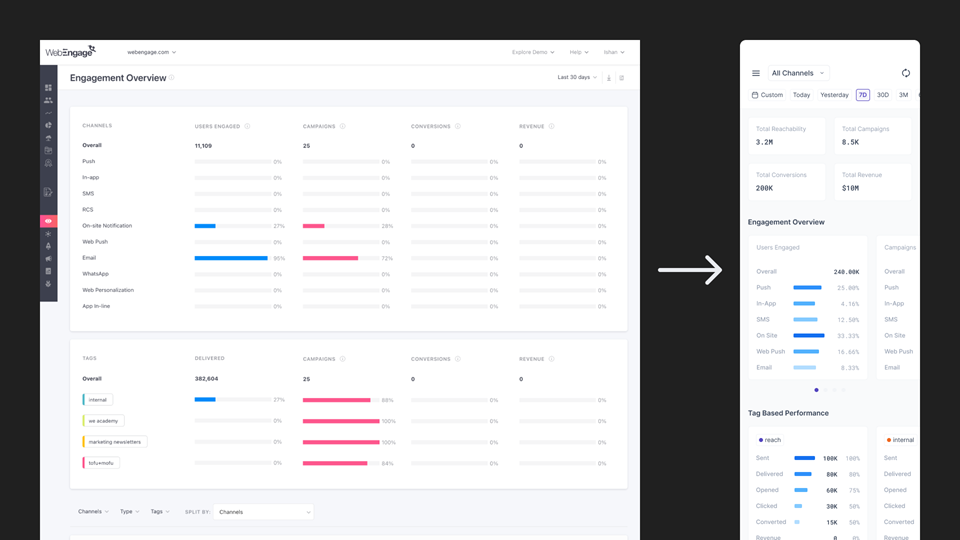
- Engagement Overview — Understand overall channel performance and drill down into individual channels.
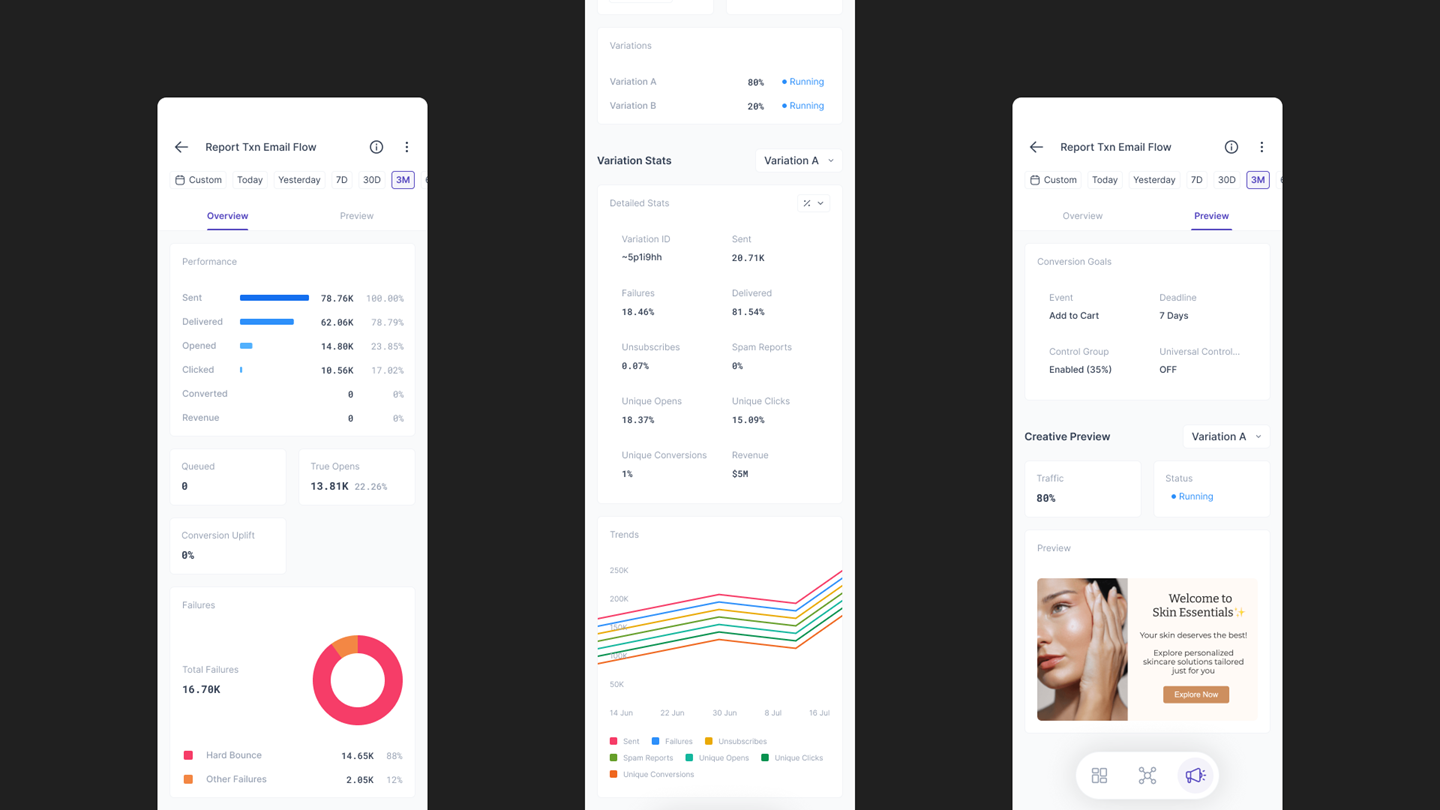
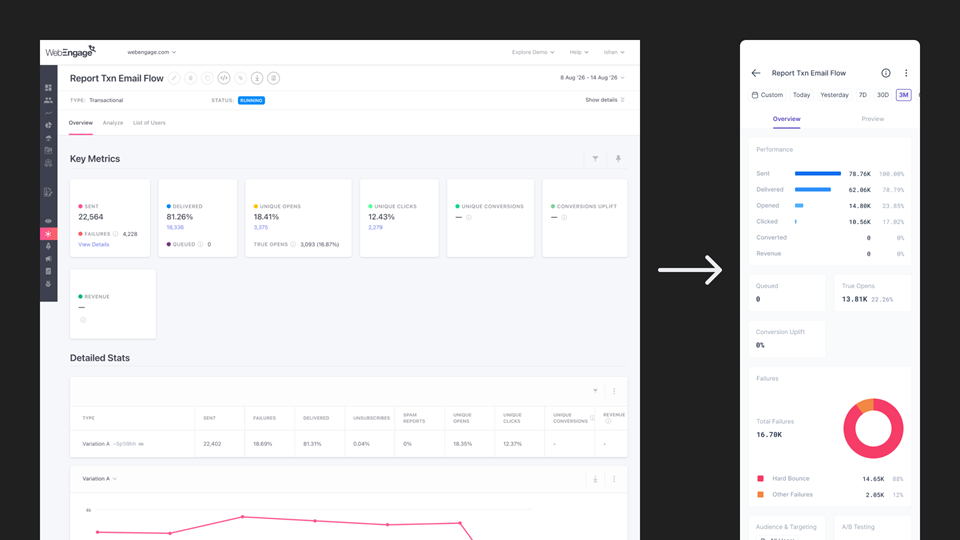
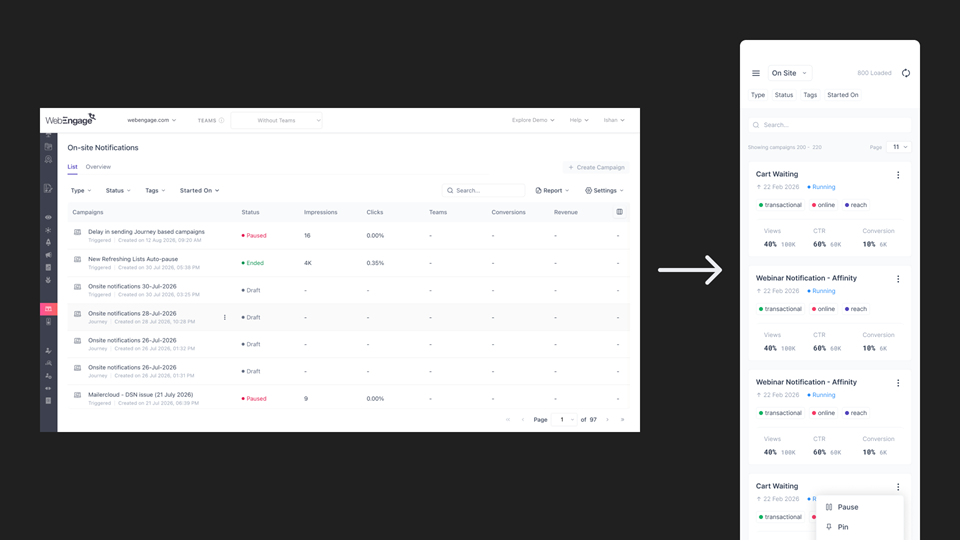
- Campaigns — Browse and review campaigns, view performance and visual previews, and perform essential actions such as pausing, stopping, or resuming campaigns.
- Teams — Review teams and approve or manage team-related requests.
The goal was simple: Give decision-makers access to the information and actions they need most, without making them navigate the complexity of the full web platform.
Channeling AI
AI became part of my design workflow rather than simply a prototyping tool. I used AI to analyze the existing suite across multiple screens and identify:
- Information Hierarchy & Relationships
- Recurring Patterns & Components
- Key Metrics & User-facing Information
- Interactions & Workflows
- Content that could be removed, condensed, or reorganized for mobile.
I then used these insights to rethink the information hierarchy for a smaller screen, rather than directly translating the existing desktop hierarchy.
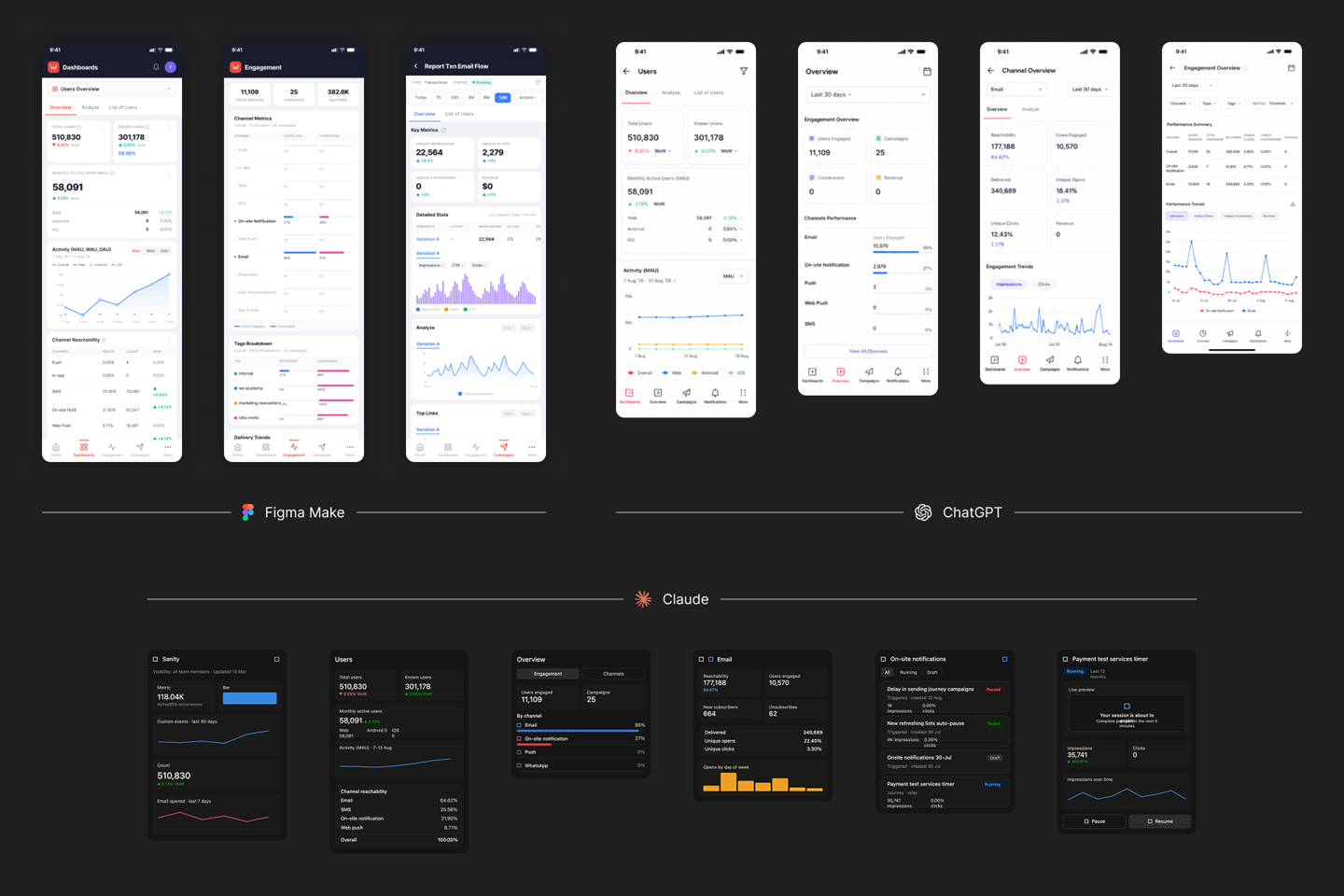
I also used multiple AI tools to generate mobile interpretations of existing web screens. These became rapid design explorations that helped me evaluate different approaches to information density, hierarchy, navigation, and card structures. The final designs were then curated, refined, and assembled manually into a cohesive mobile system.
Desktop → Mobile
The goal wasn't: Desktop UI → Smaller UI
It was: Desktop experience → Mobile context → Prioritized experience
For each screen, I evaluated what information needed to remain immediately accessible, what could be condensed, what could be moved deeper into the hierarchy, and what didn't belong on mobile at all. This allowed the mobile experience to retain the functionality and visual language of WebEngage while adapting its information architecture to the constraints of a phone.
Under Development
The app is currently under development. The implemented experience follows the final design direction, with some visual and interaction details still being refined as development progresses.