Problem
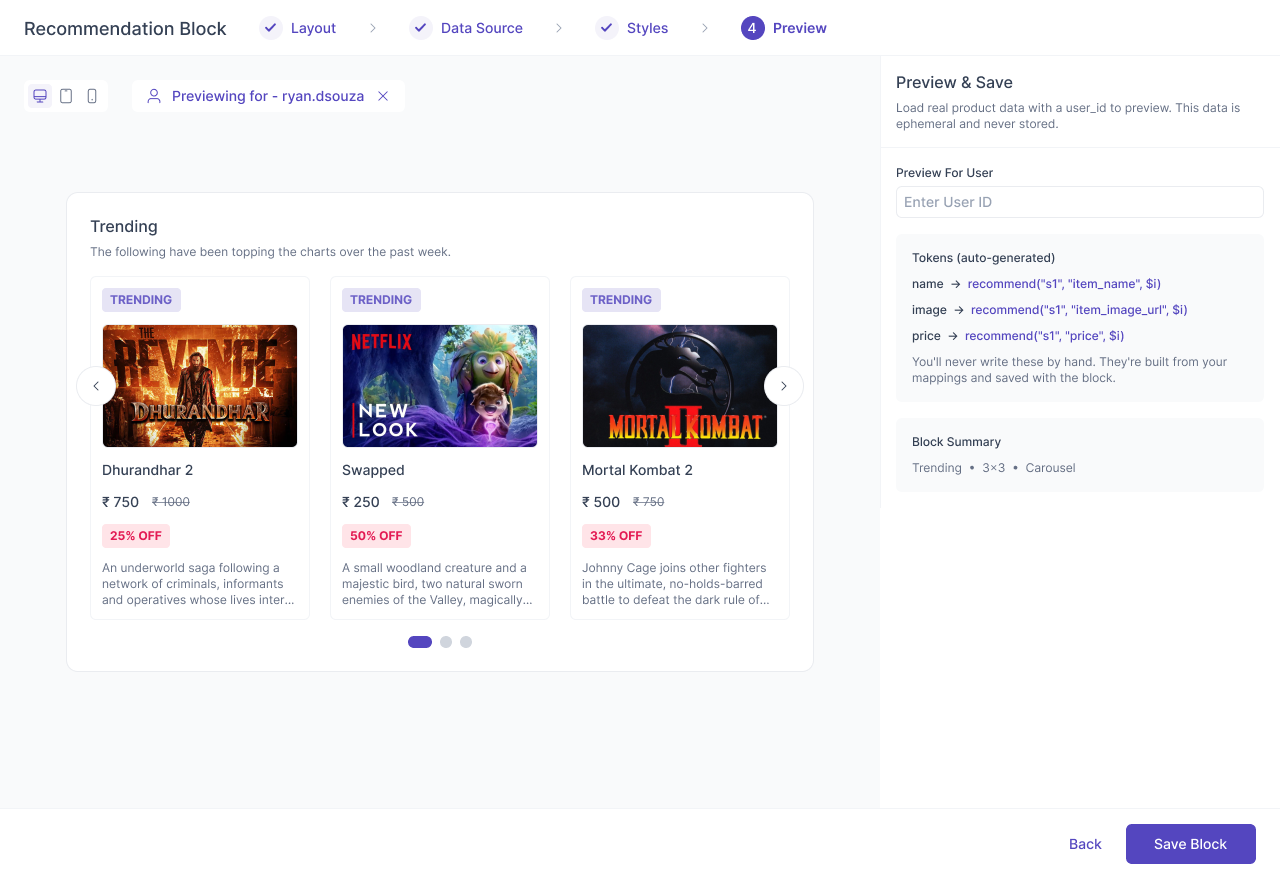
Marketers often want to show personalized product recommendations inside campaigns — but creating these experiences typically requires template syntax, tokens, catalog knowledge, or engineering support.
The goal was to give marketers a visual, no-code way to build recommendation blocks while keeping the flexibility needed to work with different catalogs, recommendation strategies, layouts, and campaign channels.
Challenge
The complexity wasn't just in building a product grid. A recommendation block needs to handle data sources, catalog fields, recommendation strategies, field mapping, conditional logic, responsive layouts, styling, and previewing — all while behaving differently across email, web, and app, surfaces. A single configuration also needed to work across five different channels, each with its own technical and UX constraints.
The challenge was to hide this underlying complexity without limiting what marketers could configure.
Solution
I designed a WYSIWYG Recommendation Block Builder that lets marketers configure the entire block visually, without writing tokens or template code. The experience starts with a curated template gallery, followed by a guided wizard covering:
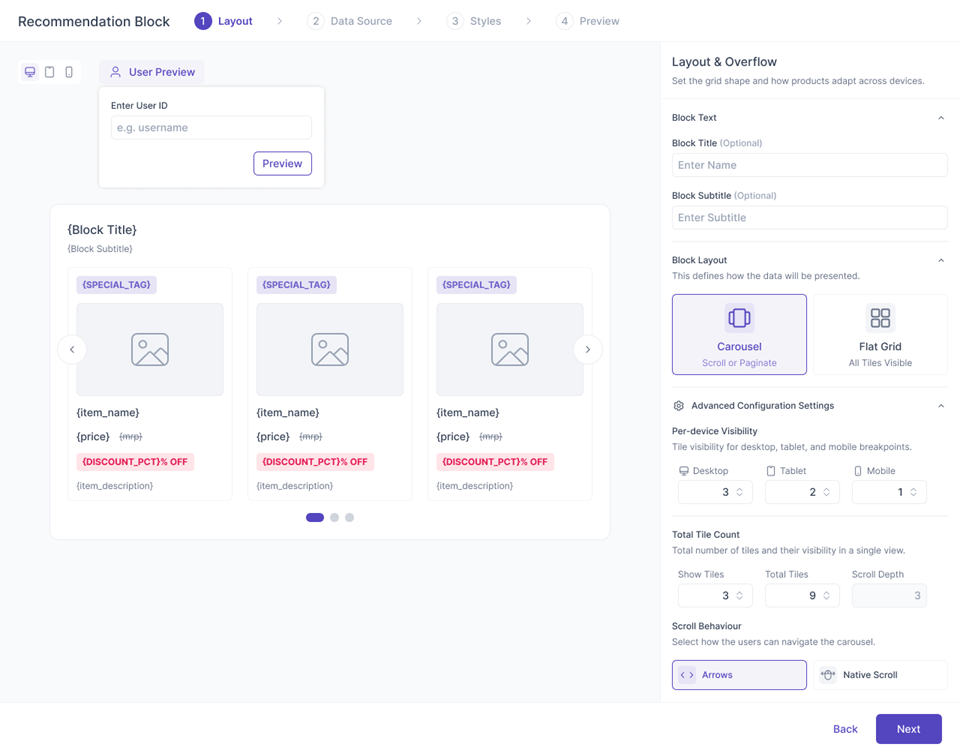
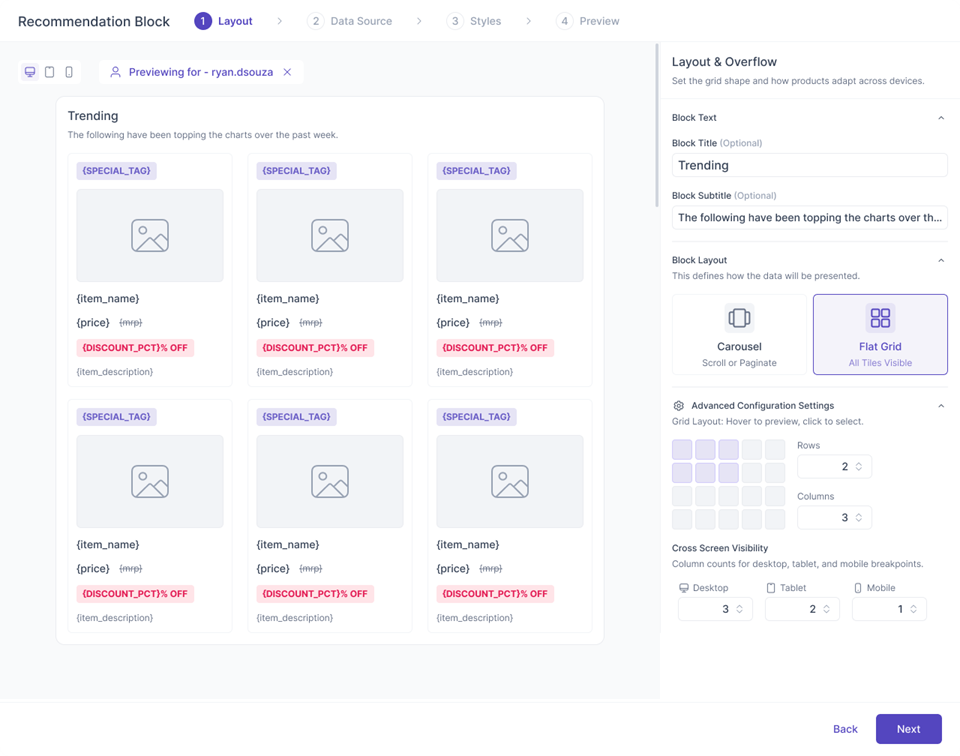
- Layout — carousel or grid, dimensions and responsive behaviour.
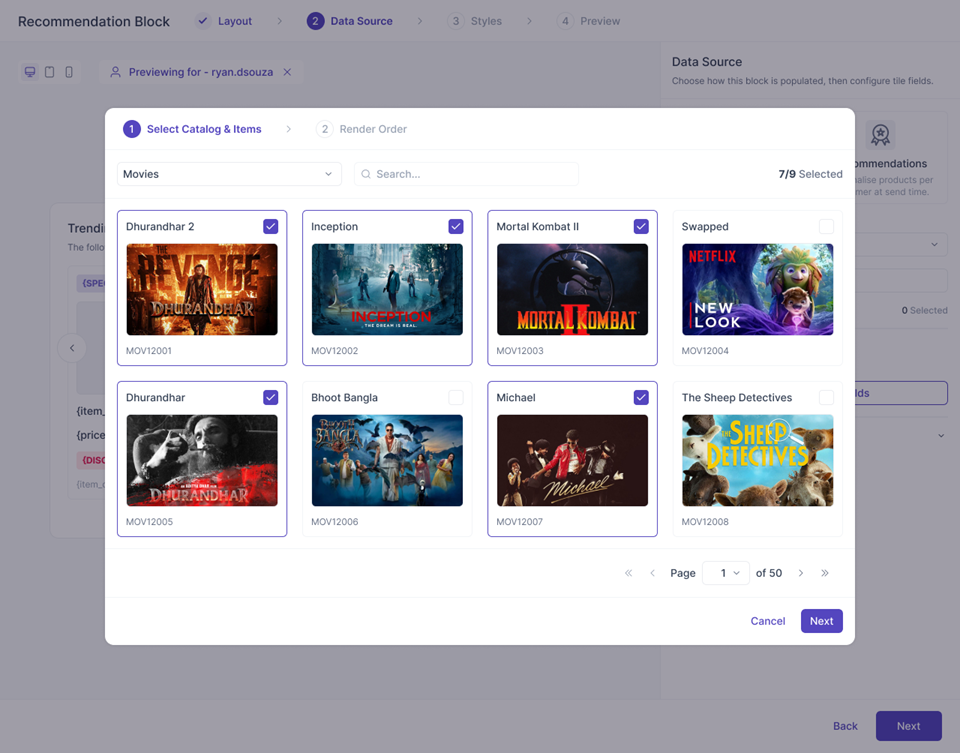
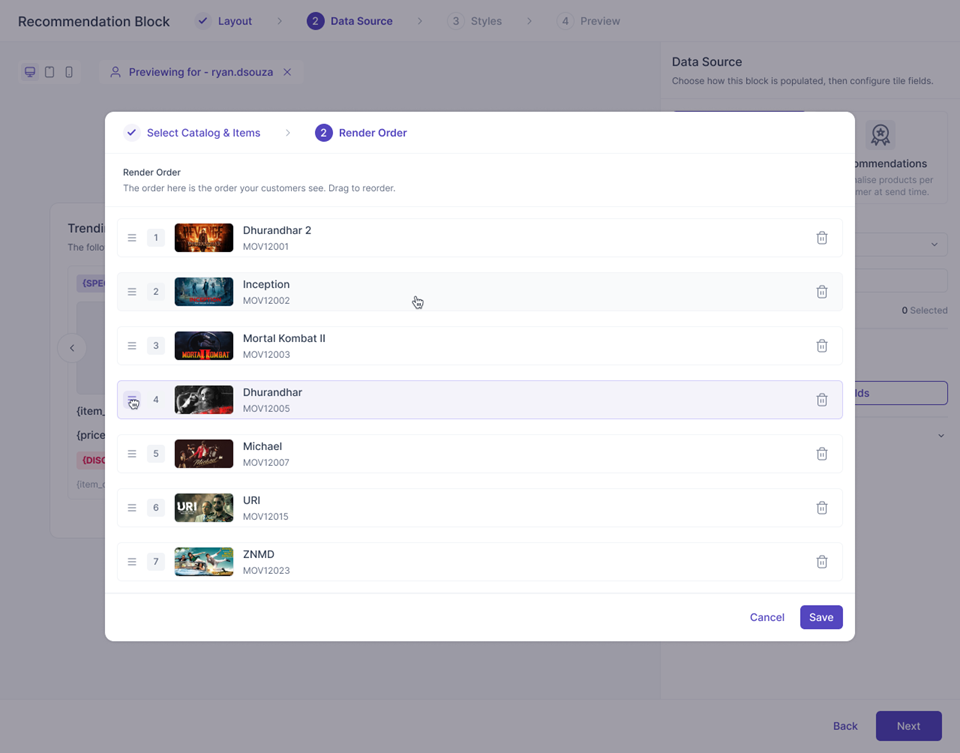
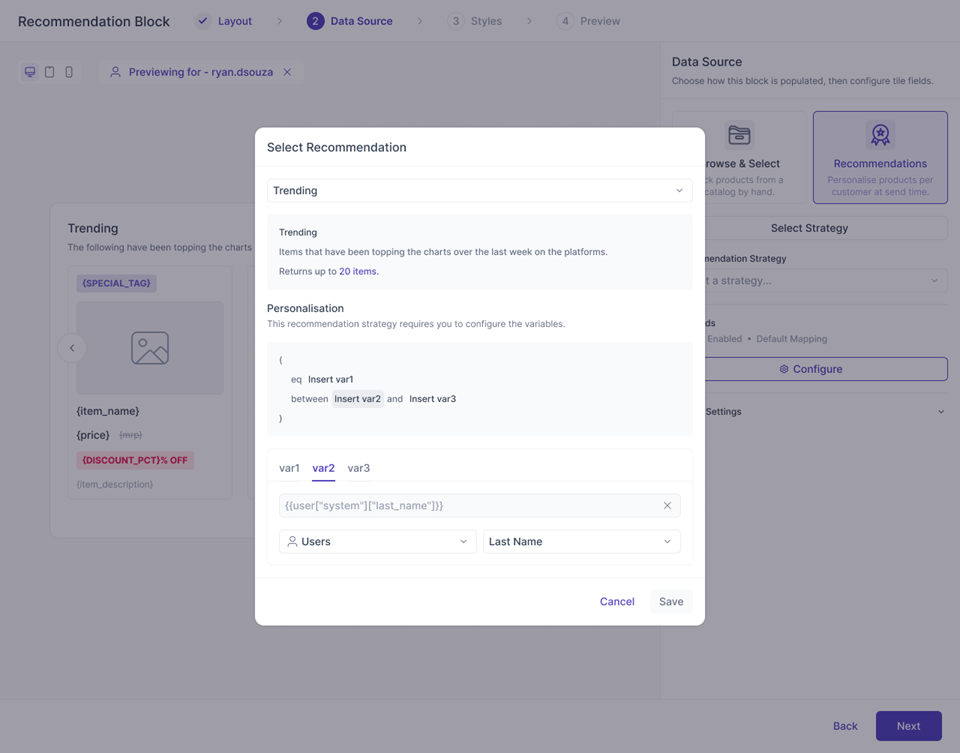
- Data — catalog or recommendation strategy.
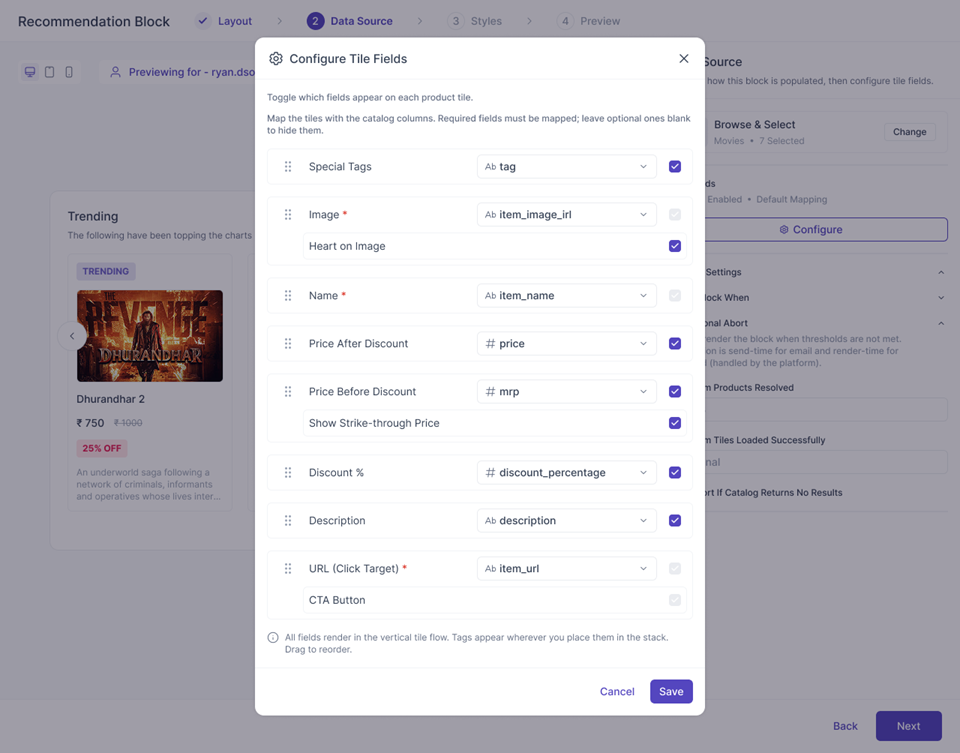
- Field mapping — connect catalog data to individual tile elements.
- Conditions — create rules for when content should appear.
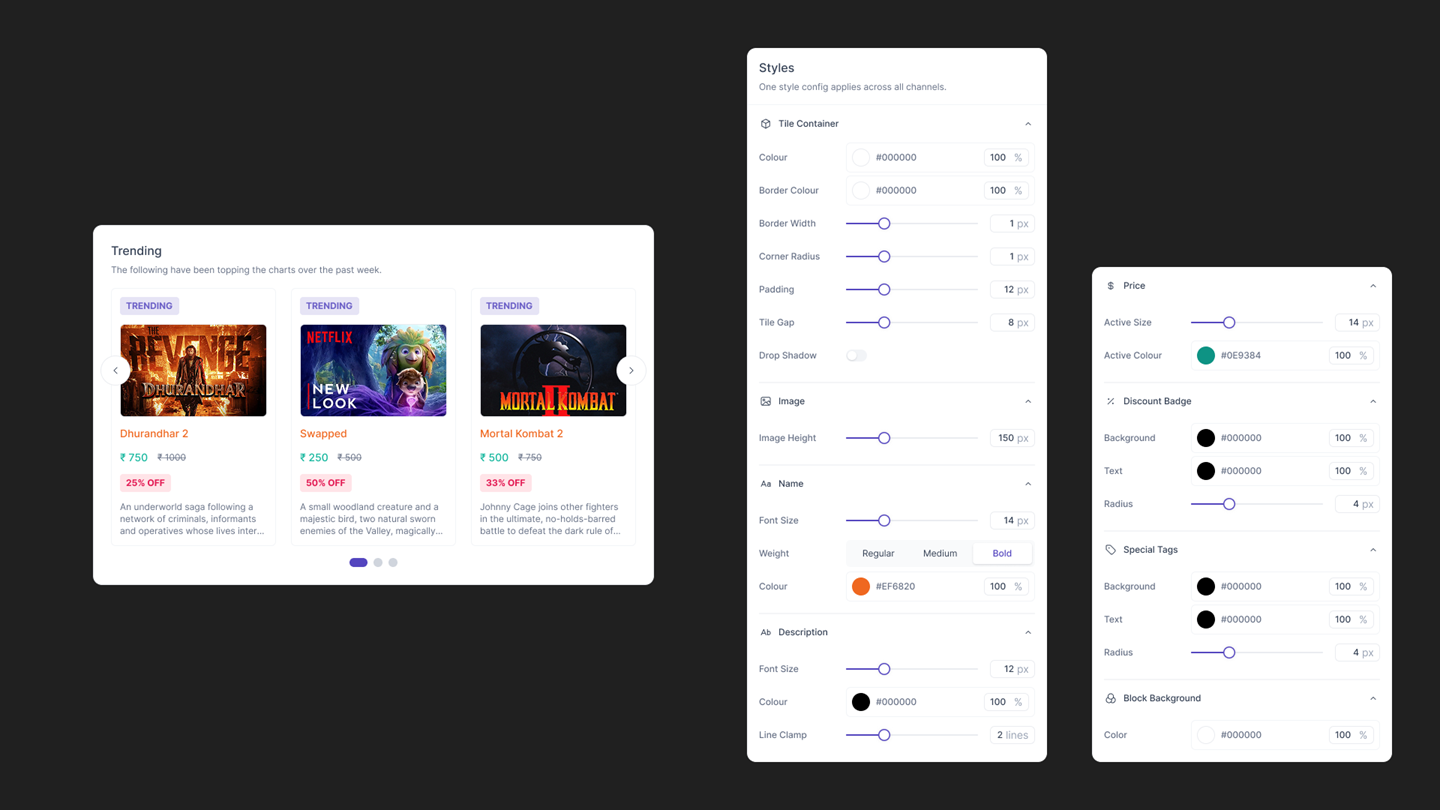
- Styles — configure the visual treatment of each element.
- Preview — test the block with real recommendation/catalog data.
The block remains part of the parent campaign, while its configuration and generated tokens are handled automatically behind the scenes.
One Builder, Multiple Channels
Instead of designing five completely separate experiences, I created a shared configuration model with channel-aware behaviour. Web, App, In-App and On-Site surfaces support richer layouts such as carousels and responsive grids, while Email automatically restricts the experience to email-compatible layouts and styling.
This allowed marketers to learn one mental model while the product handled channel-specific limitations automatically.
Designing For Complexity
The biggest UX challenge was deciding what the marketer needs to understand — and what the system should handle for them. Things such as token generation, channel restrictions, responsive behaviour, catalog mappings and rendering constraints happen behind the scenes.
The marketer instead works with familiar concepts: Choose → Configure → Map → Style → Preview.
The result is a powerful recommendation system that feels less like configuring a technical component and more like building a campaign element.
Final Outcome
The Recommendation Block Builder turns a technically complex recommendation system into a single, reusable visual workflow that marketers can use across Web, App, In-App, On-Site and Email campaigns. It brings together catalog data, recommendation strategies, conditional logic and visual design without requiring marketers to write code or depend on engineering for every variation.